Update Utility
A downloadable Update Utility for Windows
This tutorial explains how to set up and use the Visual Basic Game Launcher designed specifically for Unreal Engine games. This system uses XAMPP as a local or remote web server to host the game files, updates, and dynamic background.
1. Requirements
- XAMPP: To host the game files (
.zip) and the background image. - Unreal Engine Project: A packaged version of your game.
- Visual Studio: To compile the VB.NET code.
- Files: Your game files zipped as
game.zipand your project's paks folder zipped asPaks.zip.
2. Server Setup (XAMPP)
The launcher communicates with a server to check for updates and download files.
- Open the XAMPP Control Panel and start Apache.
- Navigate to your XAMPP installation folder (usually
C:\xampp\htdocs). - Create a folder for your game (e.g.,
C:\xampp\htdocs\mygame\). - Place the following files inside that folder:
game.zip: The full compressed game.Paks.zip: The compressedContent/Paksfolder.background.jpg: The image you want to show in the launcher UI.
3. Configuration (config.ini)
When the launcher runs for the first time, it generates a config.ini file in its startup directory. You must edit this file to point to your XAMPP server.
Example config.ini content:
Ini, TOML
[Settings] gameZipUrl=http://localhost/mygame/game.zip paksZipUrl=http://localhost/mygame/Paks.zip backgroundUrl=http://localhost/mygame/background.jpg
Note: If you are hosting this for friends, replace localhost with your public IP address.
4. How the Launcher Works
The code is optimized for the Unreal Engine file structure (specifically looking for the .exe and the Paks folder).
A. Initialization
- It creates a
GameLauncher folder in your Documents.
- It loads the background image from your XAMPP server.
- It scans the local folder to see if the game
.exe already exists.
B. The Download Process
- Download Game: If the game is not found, the "Scarica il gioco" button appears. It downloads the zip, extracts it, and automatically locates the Unreal
.exe.
- Paks Monitoring: The launcher checks the
LastModified date of the Paks.zip on your XAMPP server. If the server has a newer version, it automatically downloads and replaces the local Paks folder.
C. UI Elements
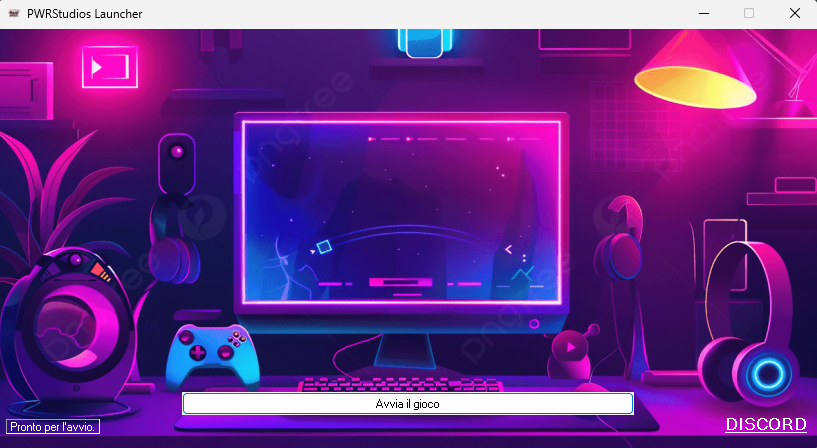
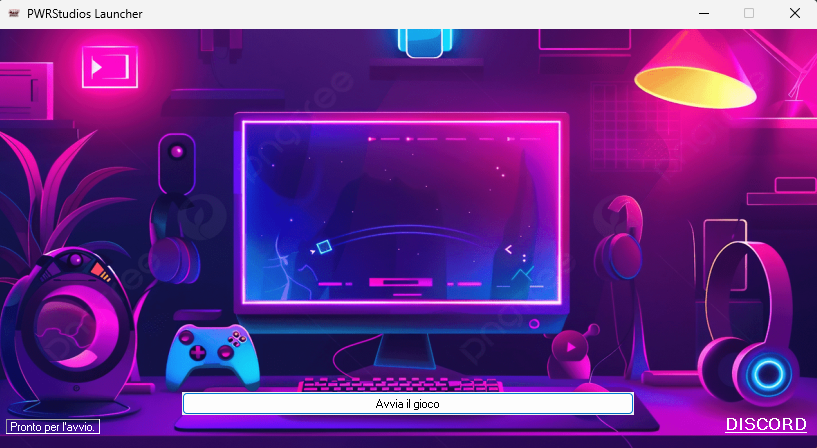
- PictureBox1: Displays the
background.jpg fetched from the server.
- Label1: Displays the status (Downloading, Ready, Updating).
- Button1: Contextual button (Download or Play).
- LinkLabel: A direct link to your Discord community.
5. Usage Steps
- Package your UE Game: Ensure it is a "Shipping" or "Development" build.
- Zip the files: Zip the root directory as
game.zip.
- Deploy: Upload the zip files to your XAMPP
htdocs folder.
- Run Launcher: Open the compiled
.exe of the launcher.
- Config: Edit the
config.ini with your server URLs.
- Launch: Click "Download" (first time) then "Start Game".
6. Important Notes for Unreal Engine
- Paks Folder: This launcher specifically targets the
Paks folder because Unreal Engine stores all game assets there. Updating only the Paks.zip allows you to push content updates (maps, skins, logic) without forcing users to re-download the entire game.zip.
- Process Start: The launcher will close itself 2 seconds after the game starts to save system resources.
Purchase
In order to download this Update Utility you must purchase it at or above the minimum price of $1 USD. You will get access to the following files: